
Chests, bundles, fortune keys, even Gems. Everything you need, right at your fingertips. Access the webshop from Fableborne’s website, stack up on $POWER and start enjoying!
Buying Items
Click on the item you’d like to buy to open your purchase details. Keep in mind that, while your transaction will cost $POWER, you’ll see an estimate equivalent to your local currency. You can also increase the quantity of items you’d like to purchase, along with the maximum number of items you can get.
Lastly, you can see your current $POWER balance, and the button to confirm your purchase.
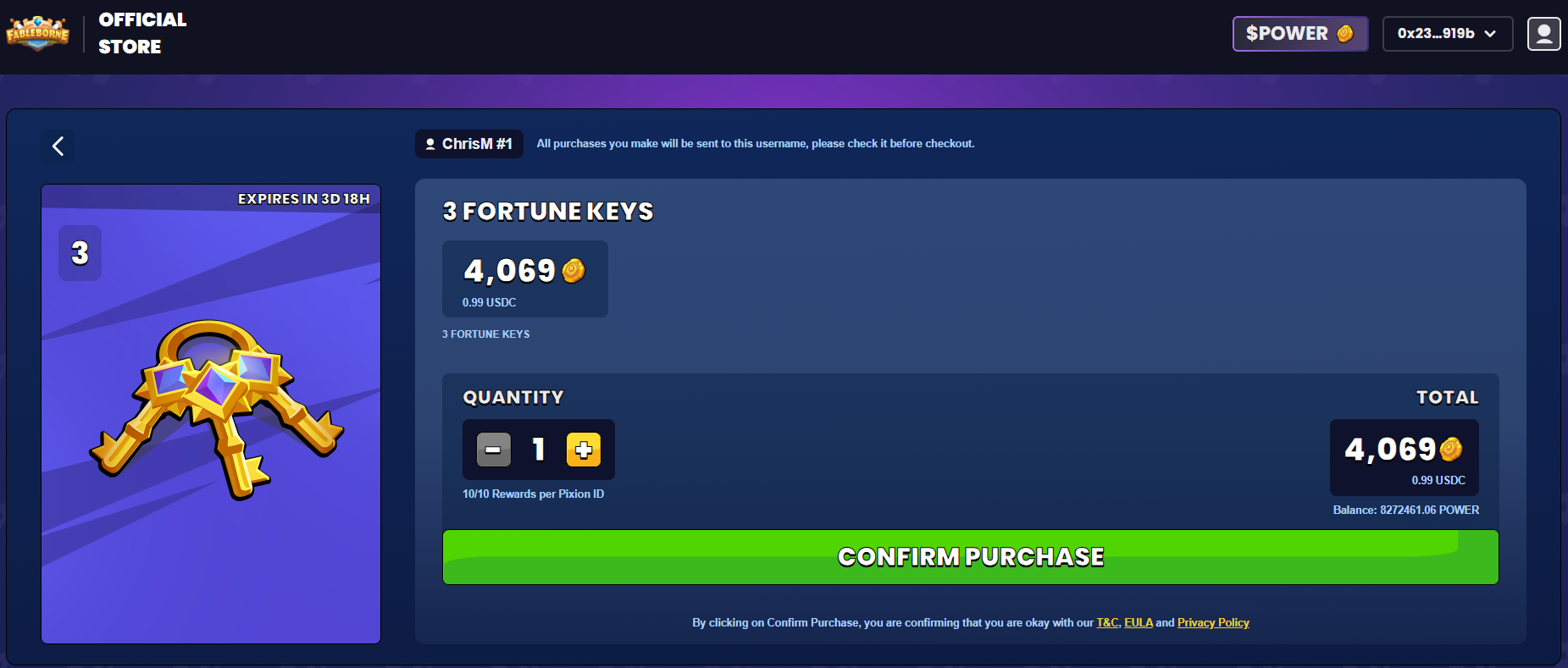
Clicking “Confirm Purchase” will send a transaction confirmation to your Ronin app. If you take too long to open your wallet, you’ll see an error message on the screen.
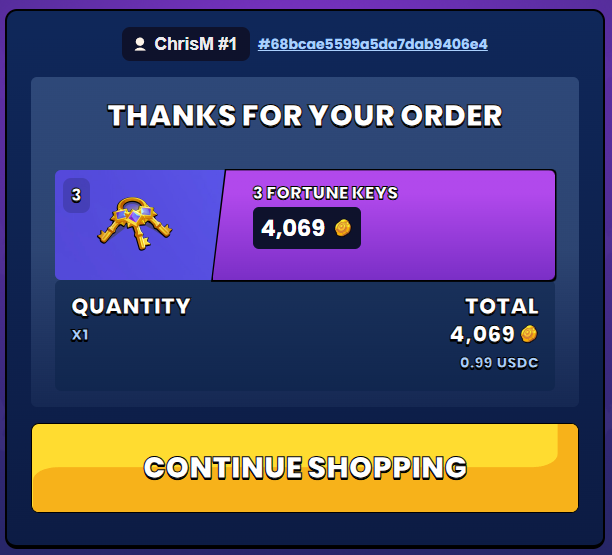
Once you confirm your transaction details on the Ronin App, the webshop will update and show you your order summary. Shortly after, you’ll get an email confirmation along with your purchase receipt.
Navigating the Webshop
You can access your User Dashboard by clicking the icon at the top right corner.

Clicking the button showing your Wallet Address will trigger a pop-up that’ll allow you to quickly see your current RON balance (needed for paying the gas fees of your transactions!), copy your wallet address, or disconnect the wallet from your account.
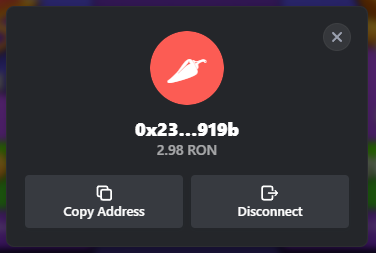
In case your wallet isn’t linked yet, you will see a button to link it instead of the wallet address. Lastly, you will see a $POWER button that’ll redirect you to the $POWER Protocol website where you can get more $POWER.